Track every expense.
Know where it all goes.
A personal ledger for income and spending. No ads, no tracking, no noise - just your numbers, kept private and backed up.
Try the demo - no account needed
| Nov 08 · Groceries · Fresh Mart | $86.40 |
| Nov 06 · Electric · City Power | $54.20 |
| Nov 05 · Dining · Corner Cafe | $32.75 |
| Nov 03 · Fuel · Highway Fuels | $41.00 |
See it in action
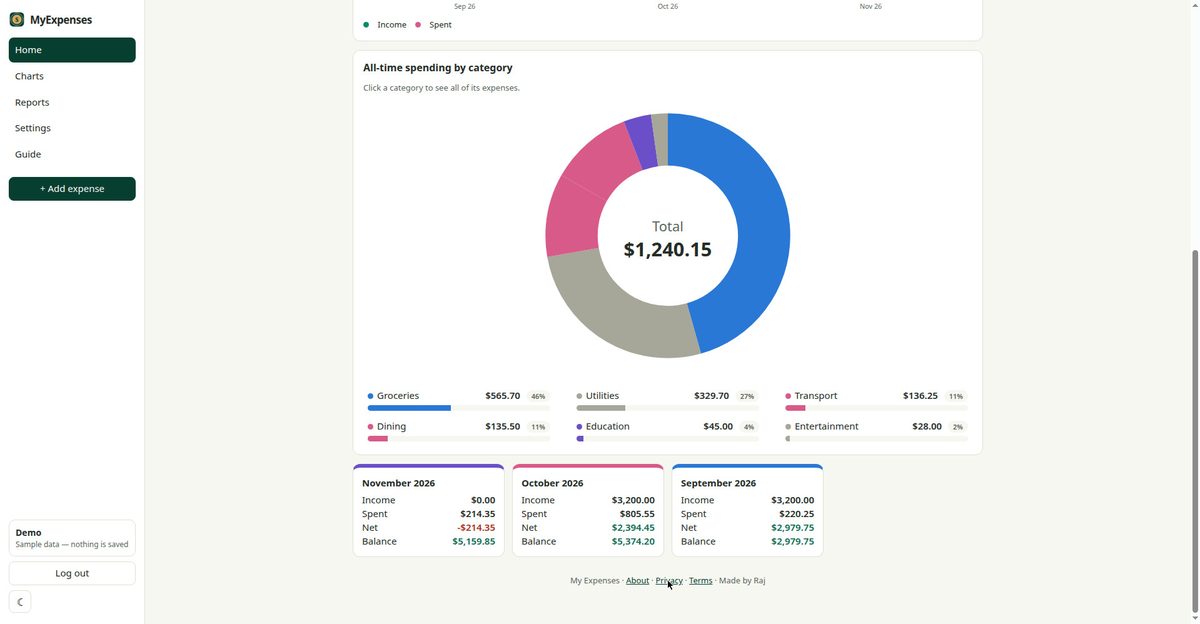
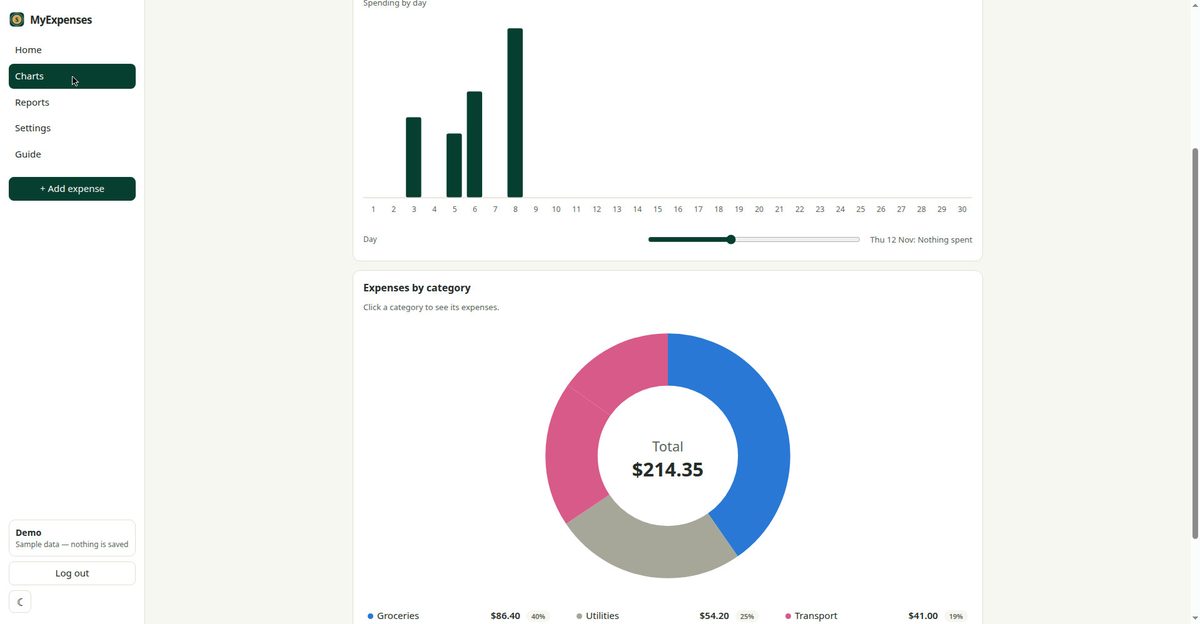
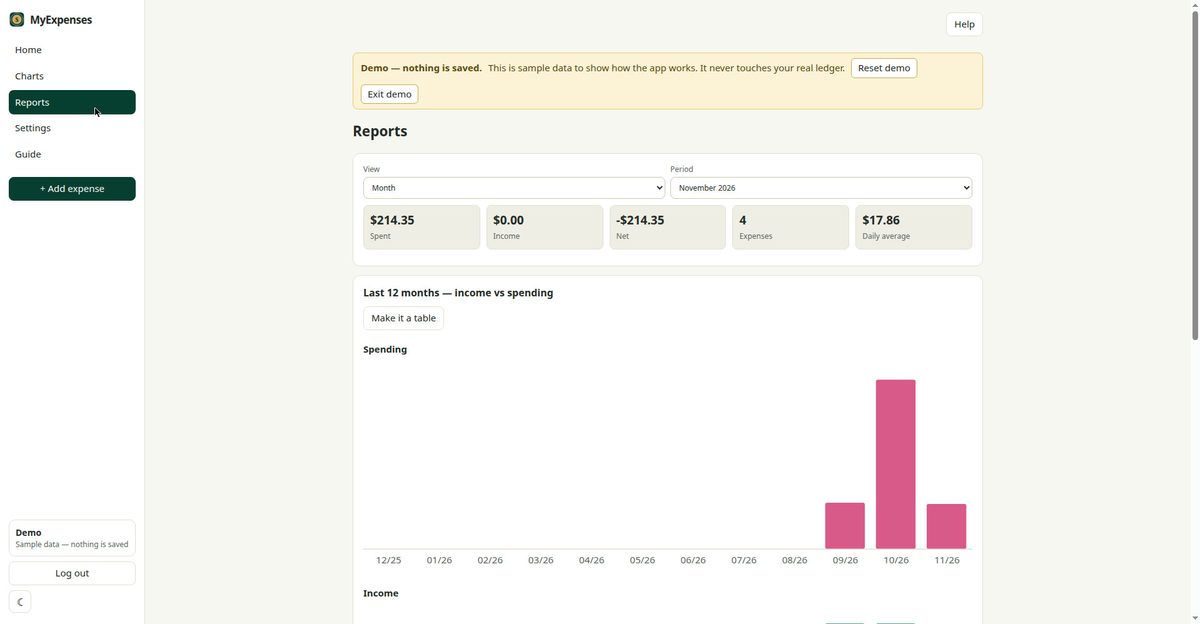
Screenshots from the demo - sample data, not a real ledger. Click any screenshot to open the demo yourself.
What you get
Everything the app does, in one place.
A fresh account starts on the 1st of every month, automatically. Add a custom account for a trip or a project too.
Salary, mortgage, car loan, insurance and more repeat themselves every month, so you only enter them once.
Your ledger is backed up to the cloud automatically, and the newest 60 copies are kept.
Make your own categories, rename them, or merge two into one. Your spending breaks down the way you think about it.
Spending by day and by category, a 12-month income vs spending chart, the top 5 categories, and year-to-date stats.
Bring in a CSV or Excel file, and export any month, quarter or year to CSV or Excel.
Sign in with email and password, with optional two-factor codes from an authenticator app.
Light, Dark or System theme, and install it on your phone like an app.
Try the whole app with sample data first. Nothing is saved and it never touches a real ledger.
How it works
Email, display name and a password. The first account is the administrator.
Add them as you go, or import a CSV or Excel file. Repeating ones fill themselves in.
Charts, reports and month views show your spending by category and over time.
Private by design
- Your own ledger, separate from everyone else's. The administrator can invite people and manage accounts, but cannot see your ledger.
- Two-factor sign-in, and a password of at least 8 characters.
- Backups you can encrypt with a passphrase, and a full download of your data anytime.
- No ads, no tracking, no analytics.
- Hosted on Cloudflare Pages + Convex.
Free
Free to use. No subscription, no ads, no tracking.
Questions
Is my data private?
Yes. Each user has their own separate ledger, and only you can see yours. Nothing is sold or tracked.
Can I export my data?
Anytime. Export any month, quarter or year to CSV or Excel, or download a backup of your whole ledger from Import & Export.
Does it work on my phone?
Yes. It runs in any browser, and you can install it on your phone like an app from the browser menu. Your ledger stays in sync.
What if I forget my password?
Change it from your Profile page while you are signed in. There is no reset-by-email yet, so if you are locked out, write to kumarwebinar1219@gmail.com.
On your phone? Install it like an app: iPhone - tap Share, then “Add to Home Screen”. Android - open the browser menu and tap “Install app”. It opens full-screen, with its own icon.
Ready to see where it all goes?
Create your free account, or try the demo first - no account needed.